 Pisgah
Pisgah Laboratory · Laboratory information system
From analyzer to doctor.
Without a pen.
Requests, specimens and reviewed results, in one workflow.
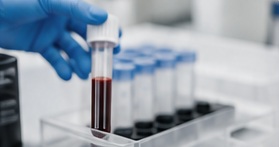
One request, through every stage.
What it does
Less copying.
More clarity at every step.
From source to reviewed report.
Your team stays in control.
From the bench to the right person
Report released.
Everyone kept in the loop.
Your team reviews the result. Pisgah handles the routine routing, report-ready notifications and follow-through.
One request, all the way through.
The specimen, source values and report stay tied to the original request, ready for the laboratory’s review.
Authorised laboratory staff release reports. Notifications respect access permissions and do not expose test details in the message.
One request, all the way through
A sample should
never lose its story.
Keep collection, receipt and review with the same request. Return the report to the right team.
Explore results & reviewSample patient A · request DEMO-LAB-01 · specimen DEMO-S01.
Also in it
The request, the bench and the released report.
Keep the work around every specimen in view.
Find your settingOrders & specimens
Walk-ins, referring-facility requests, labels, collection, receipt and specimen responsibility.
Results & review
Structured results, units, dictation and image capture, checked before release.
Explore this workflowAnalyzers & quality
Supported instrument connections, mapping, reconciliation, quality control and maintenance. Compatibility is checked for your setup.
Microbiology & specialist reporting
Report microbiology and specialist results by voice. Pisgah structures the draft for authorised staff to check, edit and release.
Send-outs & laboratory operations
Dispatch to partner laboratories, returned reports, referring facilities, staff access and accounts.
Reports & history
Letterhead reports, release history, amendments, delivery and turnaround visibility.
Can an independent laboratory use Pisgah?
Yes. Use Pisgah for your own walk-ins and referring facilities, or as a hospital laboratory connected to the EMR.
Will every analyzer connect automatically?
Connections depend on the supported instrument and setup. Share your analyzer models with the team so compatibility can be checked.
Can we enter manual tests and printed results?
Yes. Use structured entry, a spoken result or a photographed slip. Your team checks the captured values, units and patient reference.
Who releases a report, and how is the patient notified?
Authorised laboratory staff review and release the report before the clinician interprets it. The patient receives a report-ready notification without test names or values, and follows the appropriate access route.
Can we follow send-outs and corrected reports?
Keep outsourced work, returned reports and amendments with the request and its history.
Book a walkthroughStart with your team
Tell us about your laboratory.
We’ll walk through your day, and where Pisgah fits.